

Overview
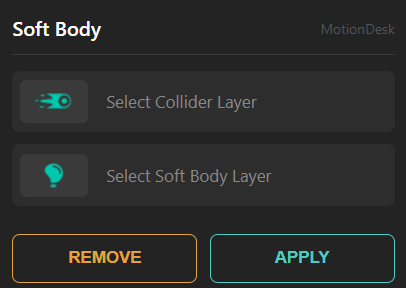
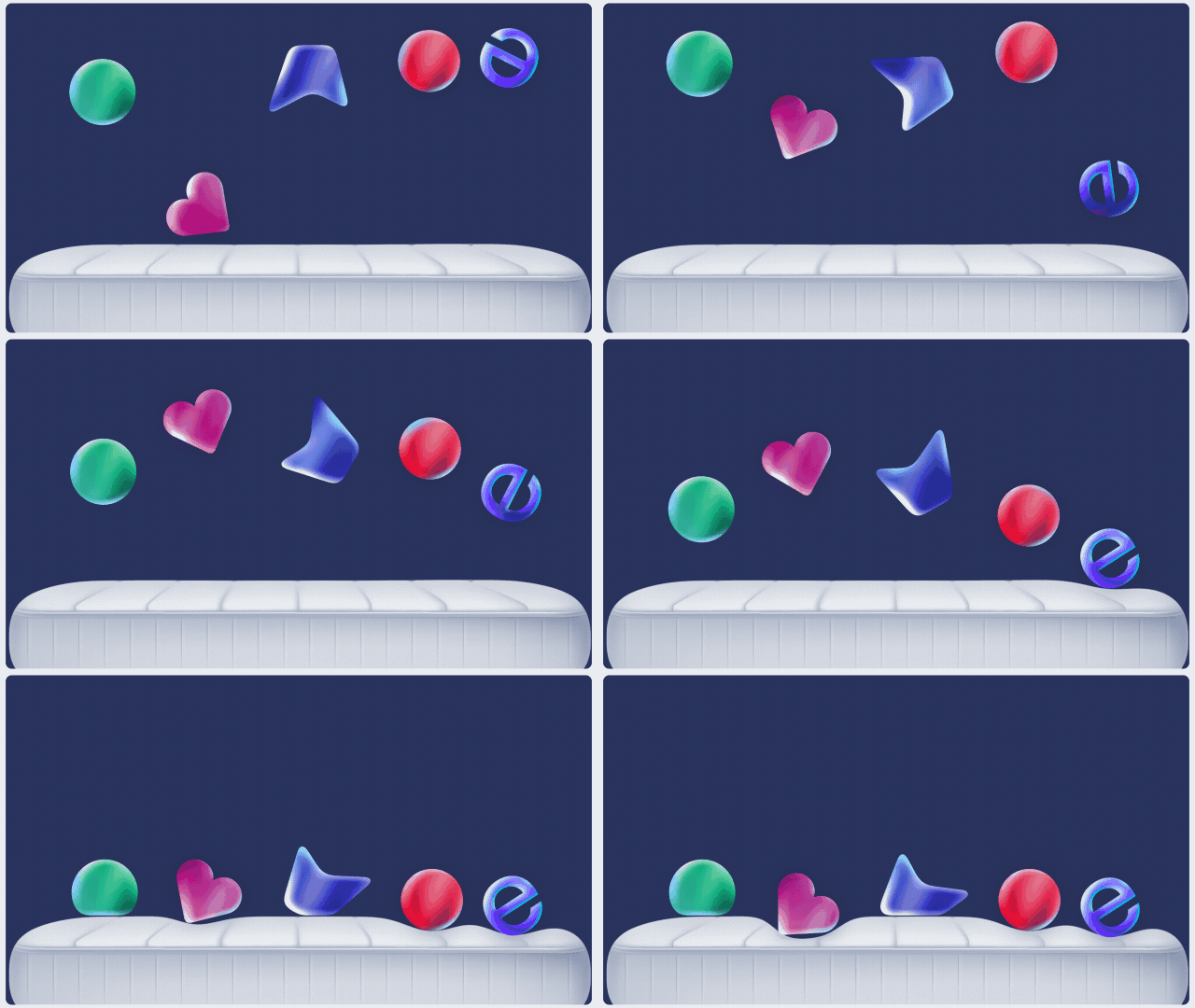
Soft Body creates soft, squashy objects with collision reactions inside After Effects. Choose a Collider layer and a Soft Body layer, apply the setup, then animate as usual—the soft object automatically deforms and reacts to the collider’s motion.
Features
- Soft-body style deformation with collision interaction
- Simple two-layer workflow: Collider + Soft Body
- Auto-reacts to motion (no manual keyframing of deformation needed)
- Adjustable controls added directly to the Soft Body layer
- Works with Shapes, Text, Pre-comps, and most layer types
- One-click Remove to clean up the applied effect
How to Use
1. Select the Collider layer (the layer that interacts). 2. Select the Soft Body layer (the layer that will deform). 3. Click Apply. The Soft Body effect is added to the Soft Body layer with all controls. 4. Animate normally — the Soft Body reacts automatically to the Collider’s motion. 5. Click Remove to delete the effect from the Soft Body layer.
Notes
- Works with Shapes, Text, Pre-comps, and most layer types.
- For best results, keep your collider motion clean and readable (fast jittery motion may look noisy).
Limitations
- Restriction on working with very small and very thin objects (as a Soft Body, not a collider)
- Softens sharp angles (as a Soft Body, not a collider) in Quick engine