Path Layers Position
Distribute and animate multiple layers along a mask path with curve-driven timing.
Overview
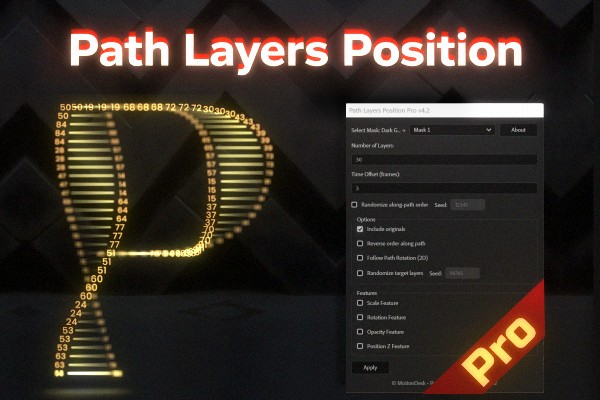
Path Layers Position distributes and animates multiple layers along a Mask Path, with curve-driven timing for smooth, controllable motion. It can replicate your target layers along the path, offset them in time, optionally randomize their order, and add extra “feature” controls (scale/rotation/opacity/3D offsets) — all managed from a single *_Control layer.
Features
- Place and animate multiple layers along a Mask Path
- Fast layer detection:
- Replication system:
- Ordering & behavior options:
- Optional feature modules (each adds advanced controls like Min/Max, Offset, Reverse, Center, Bias, Curve):
- Global controls:
- Creates/updates a dedicated *_Control layer for non-destructive editing
How to Use
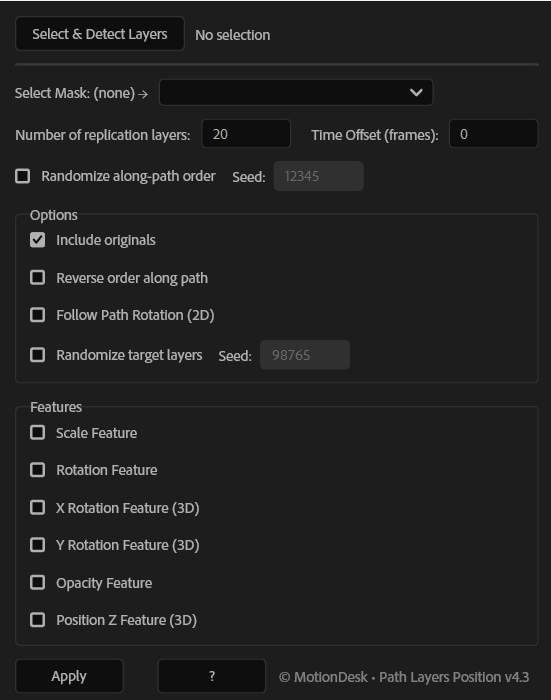
1. Select the Mask Layer first, then select one or more Target Layers. 2. Click Select & Detect Layers (or Select & Refresh Layers) to load the selection. 3. Choose the correct Mask from the dropdown. 4. Set: - Number of replication layers - Time Offset (frames) 5. (Optional) Enable the options you need: - Include originals - Reverse order along path - Follow Path Rotation (2D) - Randomize along-path order + set Seed - Randomize target layers + set Seed 6. (Optional) Enable Feature modules (Scale/Rotation/3D/Opacity/Z). Each enabled module adds its own controls (Min/Max, Offset, Reverse, Center, Bias, Curve) on the Control layer. 7. Adjust the Global controls (Coverage/Center/Offset/Bias/Loop, Curve + Strength, Global Offsets) for final timing and look. 8. Click Apply to create or update the *_Control layer.
Notes
- Your path must be a Mask Path (on a layer with a mask).
- Follow Path Rotation (2D) is ideal for objects that should align to the path direction.
- Use Time Offset to create staggered motion trails along the path.
- If results don’t change, click Select & Refresh Layers and press Apply again to update the Control setup.