Grid Composer
Visual grid layout designer for After Effects. Create grid, split, random, and custom layouts with drag-and-drop editing, then export as shape layers, solid masks, nested compositions, or comp mattes with optional Null Controller for per-layer control of fill, stroke, size, position, and roundness.

Overview
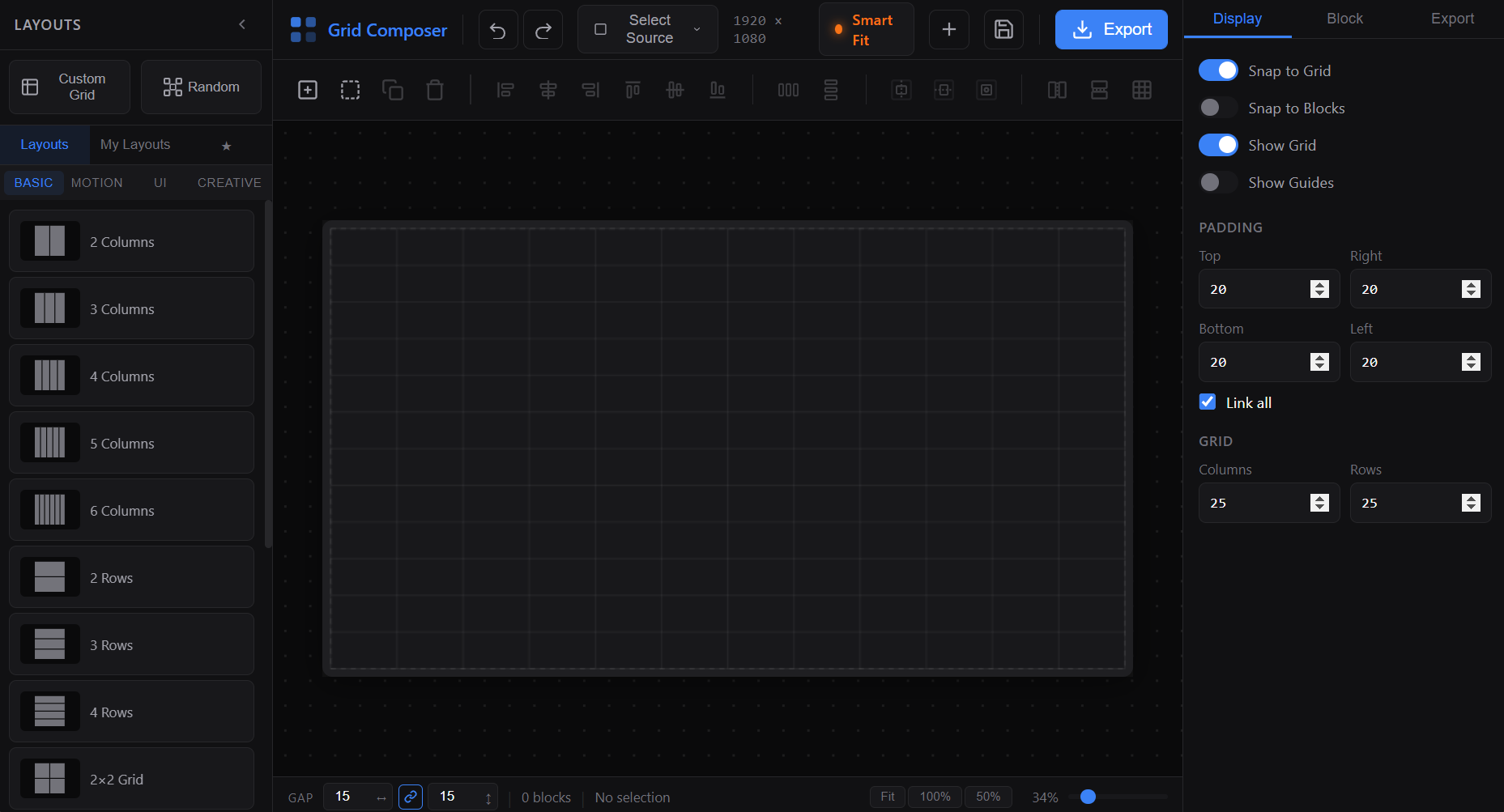
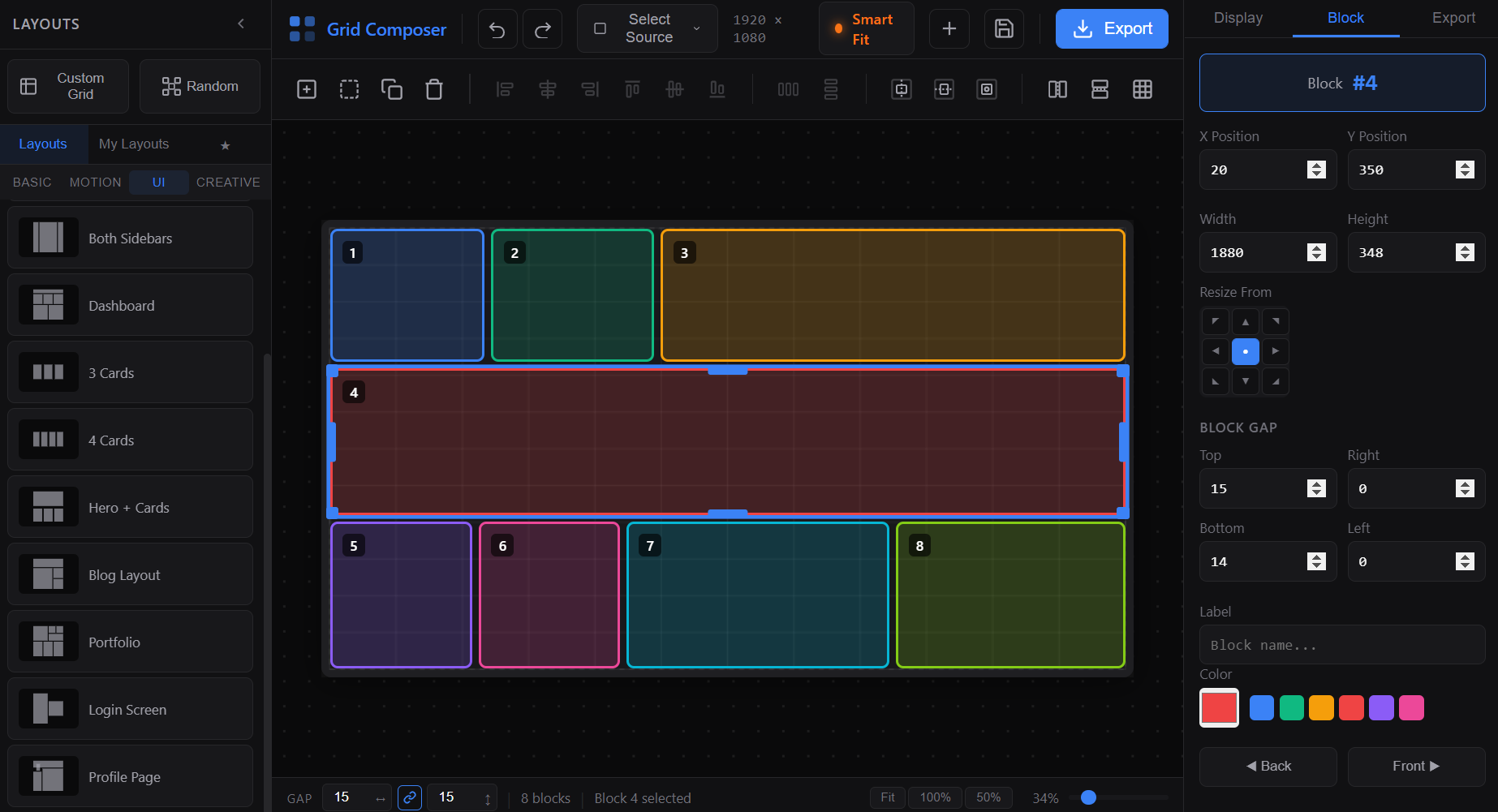
Grid Composer is a powerful visual grid layout designer for After Effects. Design complex grid arrangements, split compositions, randomized mosaics, and fully custom layouts — all through an intuitive drag-and-drop canvas editor. Once your layout is ready, export directly into After Effects as Shape Layers, Solid Masks, Nested Compositions, or Comp Mattes. For advanced motion control, enable the Null Controller system to generate expression-linked controls for per-block Fill, Stroke, Size, Position, and Roundness — letting you animate and style every block from a single control layer.
Features
Visual Canvas Editor
- Real-time drag-and-drop block manipulationMultiple Layout Types
- Grid — Standard rows × columns with adjustable ratios - Split — Horizontal or vertical splits with custom ratio control - Random — Auto-generated randomized mosaic arrangements - Custom Grid — Define your own row and column structure with flexible ratiosBlock Editing Tools
- Move, resize, and reposition blocks on the canvas - Right-click context menu: - Duplicate, Delete, Make Square, Replace with Spacer/Block - Multi-select with Ctrl+Click or Ctrl+A for batch operations - Adjust Gap between blocks with smart neighbor detection - Directional Duplicate: - Top, Bottom, Left, RightLayout Controls
- Padding (per-side or linked) and Gap settings - Canvas zoom (5%–200%) with mouse wheel - Pan navigation with middle mouse button - Grid overlay and guide display toggles - Snap-to-grid and Snap-to-block options - Block index display: - Index / Reverse Index orderingExport / Output Types
- Shape Layers — Each block becomes an independent shape layer - Solid Masks — Blocks exported as masked solid layers - Nested Compositions — Each block becomes a pre-comp - Comp Matte — Layout drives alpha mattes for layered revealsNull Controller System (Optional)
Generates a single Null layer with expression controls for every block: - Fill — Color control per block - Stroke — Stroke color, width, and opacity - Size — Width and height scaling with expression link - Position — X/Y offset control - Roundness — Corner radius per blockAnimation System
- Per-block animation presets: - Position, Scale, Rotation, Opacity - Multi-directional entry controls: - 8 directions + center - Easing options per property: - Smooth, Overshoot, Bounce, Elastic, Expo - Stagger timing with Index or Reverse Index ordering - Size animation support via Null Controller expressions - Visual animation indicator + one-click removeWorkflow Extras
- Undo/Redo — Full history with Ctrl+Z / Ctrl+Shift+Z support - Layout Favorites — Save and recall your preferred layouts - Spacer Blocks — Mark blocks as invisible spacers for complex arrangementsHow to Use
1. Set your composition size at the top (Width × Height), or click the comp icon to load the active comp dimensions automatically. 2. Choose a layout from the left sidebar: - Pick from Grid, Split, Random, or Custom Grid presets - Or click Create Custom Grid / Create Random Layout to build your own 3. Edit your layout on the canvas: - Drag blocks to reposition, drag edges to resize - Right-click any block for context actions (Duplicate, Delete, Make Square, Replace with Spacer) - Use Ctrl+Click to multi-select, Ctrl+A to select all - Scroll wheel to zoom, middle mouse button to pan 4. Fine-tune in the right panel: - Set Padding (linked or per-side) and Gap values - Use Adjust Gap to modify spacing between neighbors - Toggle grid overlay, guides, and snap options 5. (Optional) Configure Animation: - Choose animation preset and direction per block or globally - Set easing type and stagger timing 6. Select an Output Type at the bottom: - Shape Layers / Masks / Compositions / CompMatte 7. (Optional) Enable Null Controller to add expression controls for Fill, Stroke, Size, Position, and Roundness. 8. Click Create to export the layout into After Effects.
Notes
- Use Comp Matte output when you want the layout to serve as alpha mattes for other layers — perfect for image/video grid reveals.
- Null Controller is ideal for quickly animating or restyling all blocks from one layer, without manually editing each shape layer.
- Spacer blocks are excluded from export — use them to create negative space or complex asymmetric layouts.
- Adjust Gap uses smart pair-based neighbor detection, so it works correctly with irregular/random layouts — not just uniform grids.