🎬 Animation free
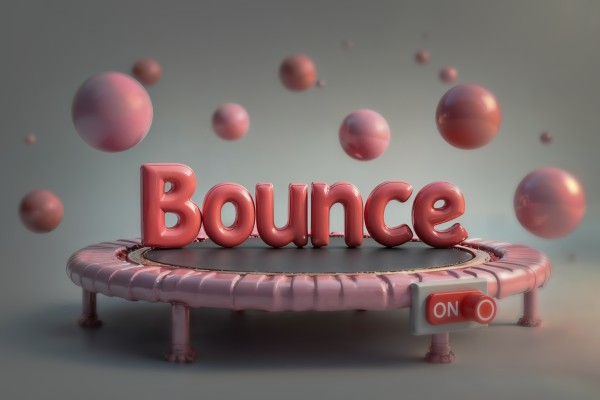
Bounce ON
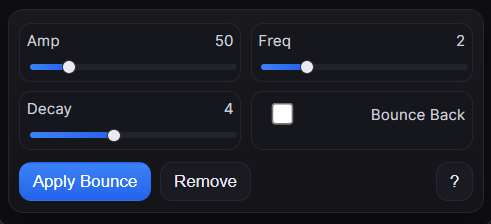
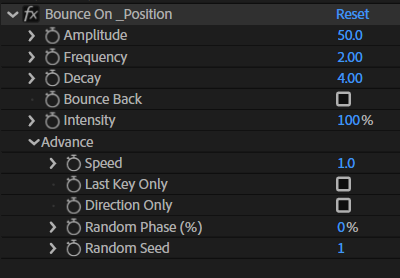
Keyframe-driven bounce effect for any selected 1D/2D/3D property. Controls include Amplitude, Frequency, Decay, Bounce Back, Intensity, Speed, Last-Key Only, Direction-Only, Random Phase, and Random Seed.
Overview
Bounce ON is an After Effects script that adds a dedicated control effect to your selected property(ies), letting you create clean, adjustable bounce motion without manually tweaking keyframes. Apply it once, then fine-tune the bounce anytime inside the "Bounce On" effect.
Features
- Apply bounce to one or multiple properties at once
- Easy controls inside the "Bounce On" effect (no keyframe editing needed)
- Quick cleanup with a one-click Remove
- Great for UI motion, logo reveals, typography, and smooth overshoots
- Works with keyframed animations and stays fully editable
How to Use
1. Add at least one keyframe to the target property. 2. Select one or multiple properties. 3. Run the script and click Apply. 4. Adjust bounce parameters inside the "Bounce On" effect. 5. To remove it, select the property and click Remove.
Notes
- Bounce requires keyframes on the property to work.
- For better results, use at least two keyframes (start/end).
- You can apply it to multiple layers/properties to keep motion consistent.